Humble Request: The Bold, Playful Font Your Designs Need
A Typeface That Balances Punch and Personality
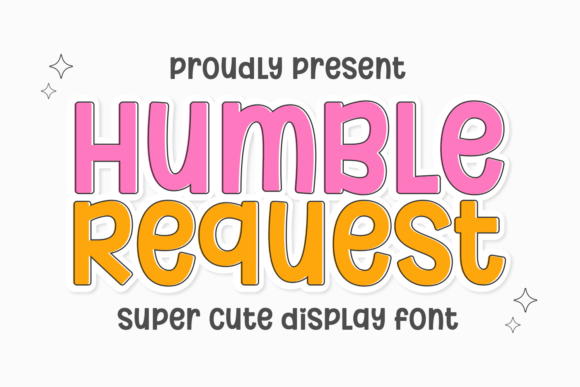
When you’re searching for a display font that can carry a headline without feeling aggressive, you often have to compromise. You either get the weight and presence you need for branding, or you get the softness required for approachability. The Humble Request typeface solves this dilemma by blending power with a delightful spring in its step. It creates an irresistible, fun-filled ambiance that feels modern and energetic.
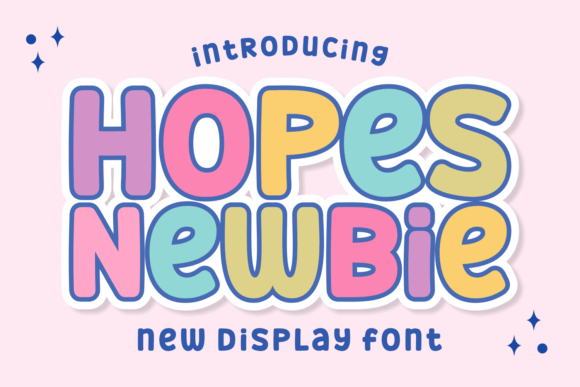
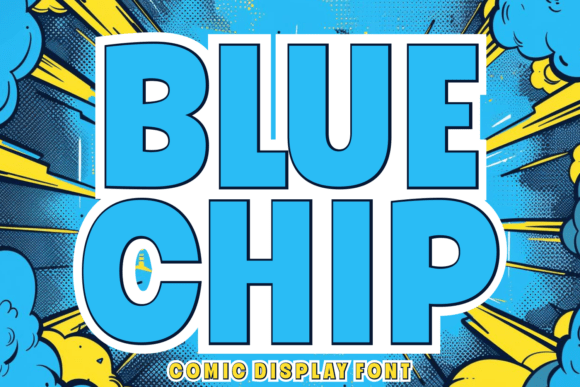
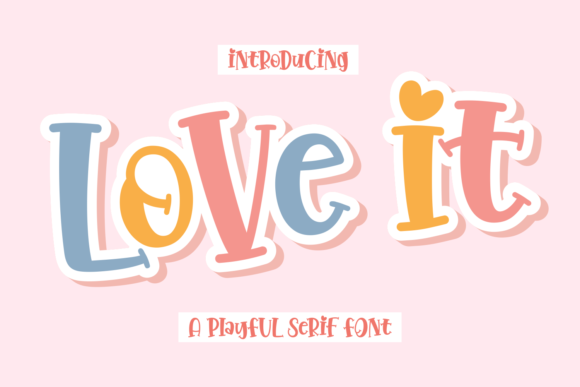
The secret to its charm lies in the details. While the strokes are heavy and assertive, the corners are rounded. This design choice moderates the "punch" of the font, achieving a balance between a warm invitation and dynamic influence. It doesn't scream at the viewer; instead, it shouts with a smile. For designers and brand strategists, this is a vital distinction. It allows you to capture attention in a crowded marketplace—whether in web design or packaging design—without creating visual anxiety. It is the epitome of playful display fonts, injecting youthful energy into any project it touches.
Where to Deploy This Creative Font
Understanding where a font performs best is half the battle in graphic design. Because Humble Request leans heavily into a vibrant, lively aesthetic, it excels in environments where engagement is the primary goal. It is not a font for legal disclaimers or long-form body text; it is a headline artist.
Consider using this typeface for:
- Children’s Merchandise: It perfectly captures the spirit of a toy line launch or kids' apparel. The rounded corners feel safe and tactile, making it a natural fit for toy logos and packaging.
- Celebratory Events: From summer camp flyers to birthday invitations, the font adds an immediate sense of festivity.
- Digital Assets: It works brilliantly for digital planner stickers, YouTube thumbnails, and social media graphics. In the fast-scrolling world of social feeds, the high contrast and distinct silhouette of Humble Request stop the thumb.
- Casual Gaming: If you are designing a user interface for a mobile game or an immersive casual gaming experience, this font sets the right mood immediately.
It behaves much like a modern typography staple for the entertainment sector. If your project requires a "candy shop" allure—something sweet, colorful, and impossible to ignore—this is the tool for the job.
Enhancing Readability and Brand Perception
A common misconception about display fonts is that style always trumps function. However, Humble Request maintains a standout clarity despite its assertive display. The letter spacing (kerning) and x-height are designed to ensure that words remain legible even when rendered in vibrant hues. This is crucial for brand identity; you want your audience to remember your name, not just a pretty shape.
When integrated into a visual hierarchy, this typeface naturally commands the top spot. It draws the eye to the primary message—be it a logo design or a headline—allowing you to pair it with a neutral sans serif font for body text. This contrast creates a professional yet energetic layout.
To make the font truly unforgettable, explore texture. Adding a white border or a stick-like offset can propel the typeface from memorable to iconic. Furthermore, layering it with whimsical hand-drawn elements or minimalist geometric designs creates a distinct, maximalist charm that feels custom-made. Whether you are a small business owner crafting a brand kit or a publisher looking for an editorial design hero, Humble Request offers a reliable way to inject personality into your work without sacrificing professionalism.
Practical Application and Pairing Strategies
Adopting a new premium font into your workflow requires a bit of strategy. To get the most out of Humble Request, you need to evaluate how it interacts with your existing design assets.
Font Pairing:
Because Humble Request has such a strong personality, it pairs best with something quieter. Avoid using other script fonts or handwritten fonts alongside it, as this will create visual noise. Instead, look for a clean serif font for a classic editorial look, or a geometric sans serif for a more contemporary vibe. This ensures that your visual hierarchy remains intact and your message is clear.
Testing and Licensing:
Before finalizing your design, test the font across different mediums. A font that looks great on a desktop screen might render differently on a mobile device or when printed on textured cardstock. Check the included styles; many commercial fonts come with alternates or ligatures that can add unique flair to your logo design.
Finally, always verify the license. If you are using this for a client project, merchandise, or app development, ensure you have the appropriate commercial font license. This protects your business and ensures you can continue to use the asset long-term.
In conclusion, Humble Request